📖 How to Set Up and Use IPTV Smarters ?
IPTV Smarters / Pro is a free application that gives you access to live IPTV subscriptions, including movies and TV series. The app is compatible with various devices, such as Android boxes, LG Smart TVs, smartphones, and tablets.
In this tutorial, you will learn how to easily set up and use IPTV Smarters / Player on various devices, including Samsung & LG Smart TVs, Android Boxes, and Amazon Fire TV. Simply follow the steps below:
Go to your device's App Store (Google Play Store, LG Content Store, or Samsung App Store), search for IPTV Smarters Pro or Smarters Player Lite, then download and install it.
Download link:https://filecr.com/android/iptv-smarters/(If you need any assistance, feel free to reach out to us on WhatsApp.)
Step-by-Step Guide:
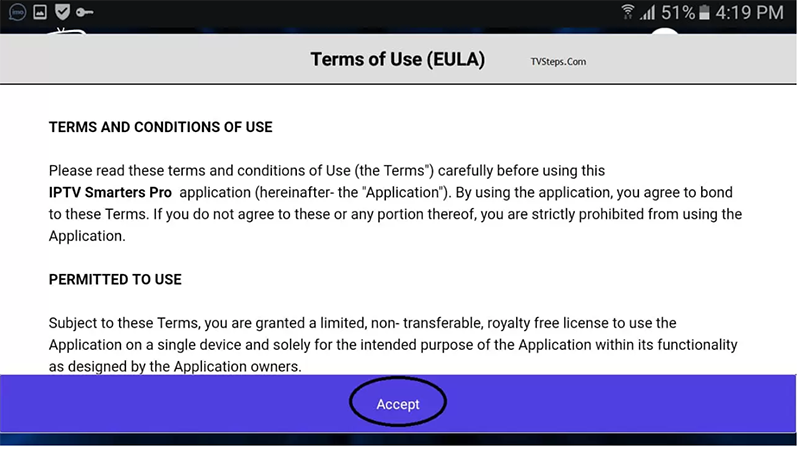
Step 1: Install and Agree to User Terms. Once the download is complete, open the application and click Accept to agree to the User Terms.
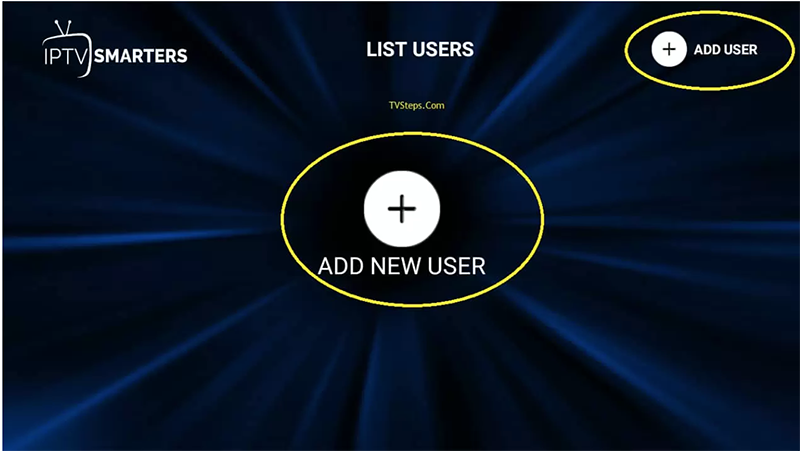
Step 2: Add a New User Click on the + icon or the Add User button to start configuring your IPTV Smarters / Player.
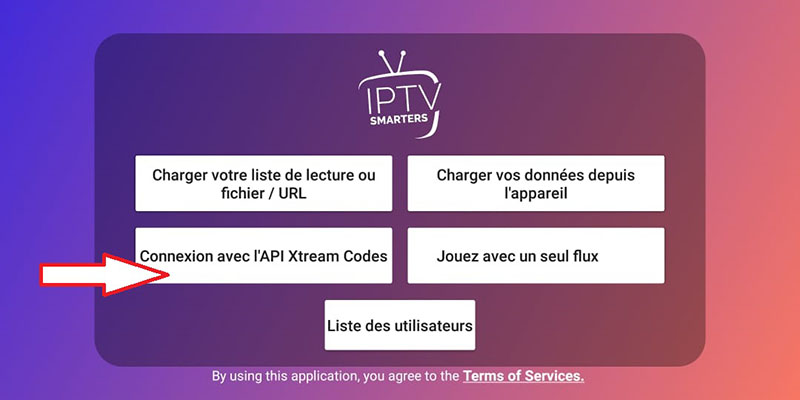
Step 3: Select Login with Xtream Codes API From the list of options, select Login with Xtream Codes API to connect your subscription.
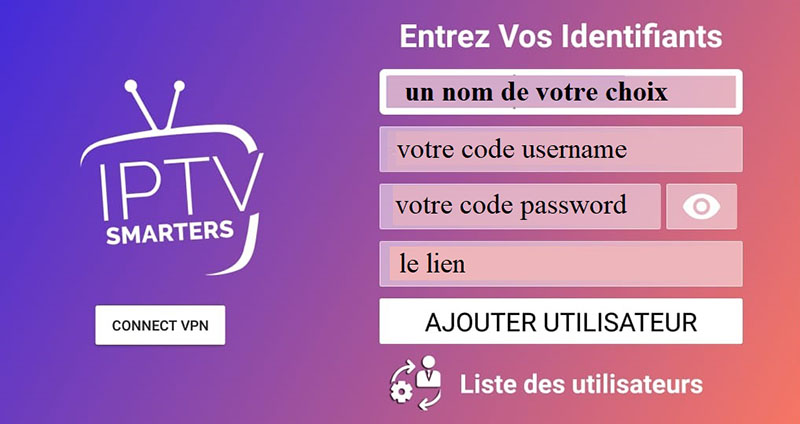
Step 4: Fill in Your Details Enter the login credentials for your IPTV Smarters / Player subscription.(Note: Any Name, Username, Password, and Server URL will be provided by our support team after your purchase.)
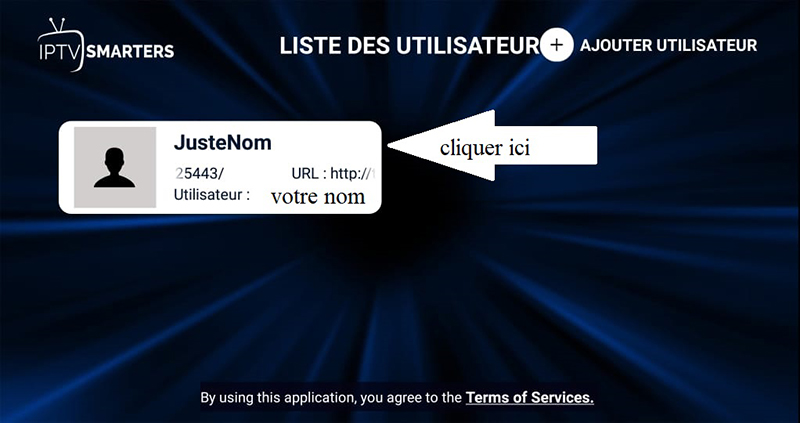
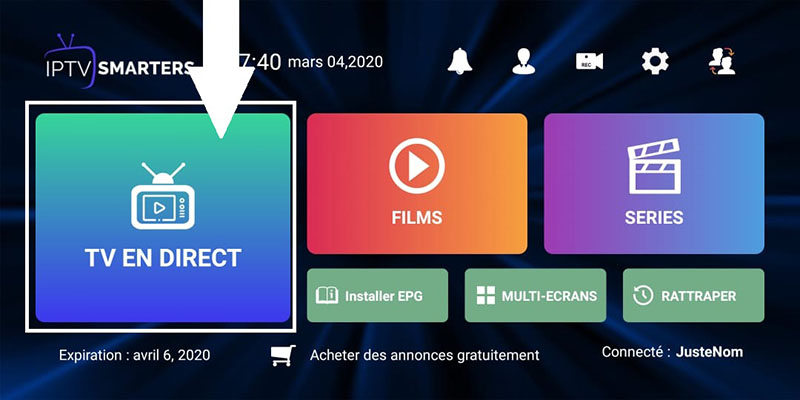
Select Your Profile: You have successfully connected and are now on the Dashboard. Here, you will find various options such as Live TV, Movies, Series, Install EPG, Recordings, and Catch-up.At the top, you can also see Switch User (the 4-user), Settings, Account Info, and Notifications. To start enjoying your service, simply click on Live TV.
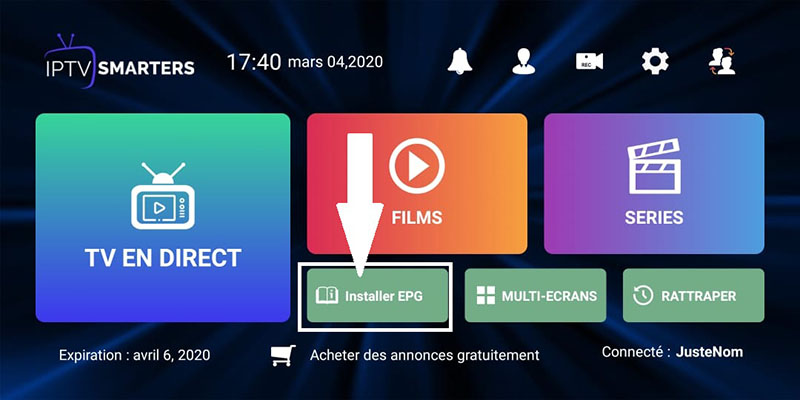
Install EPG: Click on Install EPG from the dashboard to automatically start loading the program guide.
Click on Live TV
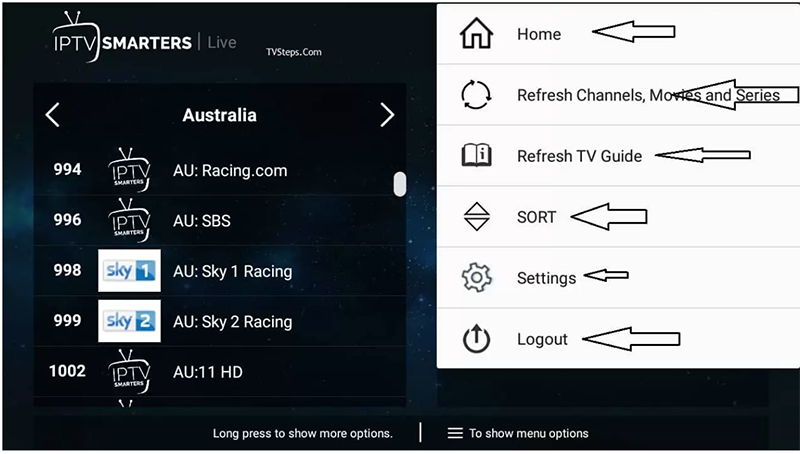
Using Options on IPTV Smarters By clicking the Tab/Menu button, you can quickly access several great features, such as the EPG guide and List updates.
IPTV Smarters / Player Features List
Easy-to-use & Intuitive Design: A clean interface designed for a seamless user experience.
Organized Content: Playlists are neatly categorized by Channels and VOD (Video on Demand).
Smart Search: Easily find your favorite channels, movies, and TV shows with the built-in search function.
Powerful Playback: Features two built-in players and supports external players like VLC and MX Player.
Catch-up & EPG: Access channel replays and a full EPG (Electronic Program Guide) timeline.
Auto-Logos: Automatic display of TV channel logos for easy navigation.
In-depth Details: View movie and series information, including synopses, posters, ratings, and more.
Favorites List: Save your most-watched channels and content to a personalized favorites list for quick access.
Subscription Management: Real-time info on your subscription status, expiration date, and account details.
Flexible Connection: Supports Xtream Codes API and M3U playlists.
Smart TV Ready: The new IPTV Smarters Player is fully optimized for Samsung and LG Smart TVs.